Vim Plugins for Haskell Programmers
It appears that there is no clear choice with a naive google search with “haskell vim” at this time. I decide to contribute a blog post to make a few comments about the existing vim plugins for haskell programmers.
Made for Haskell
Haskellmode
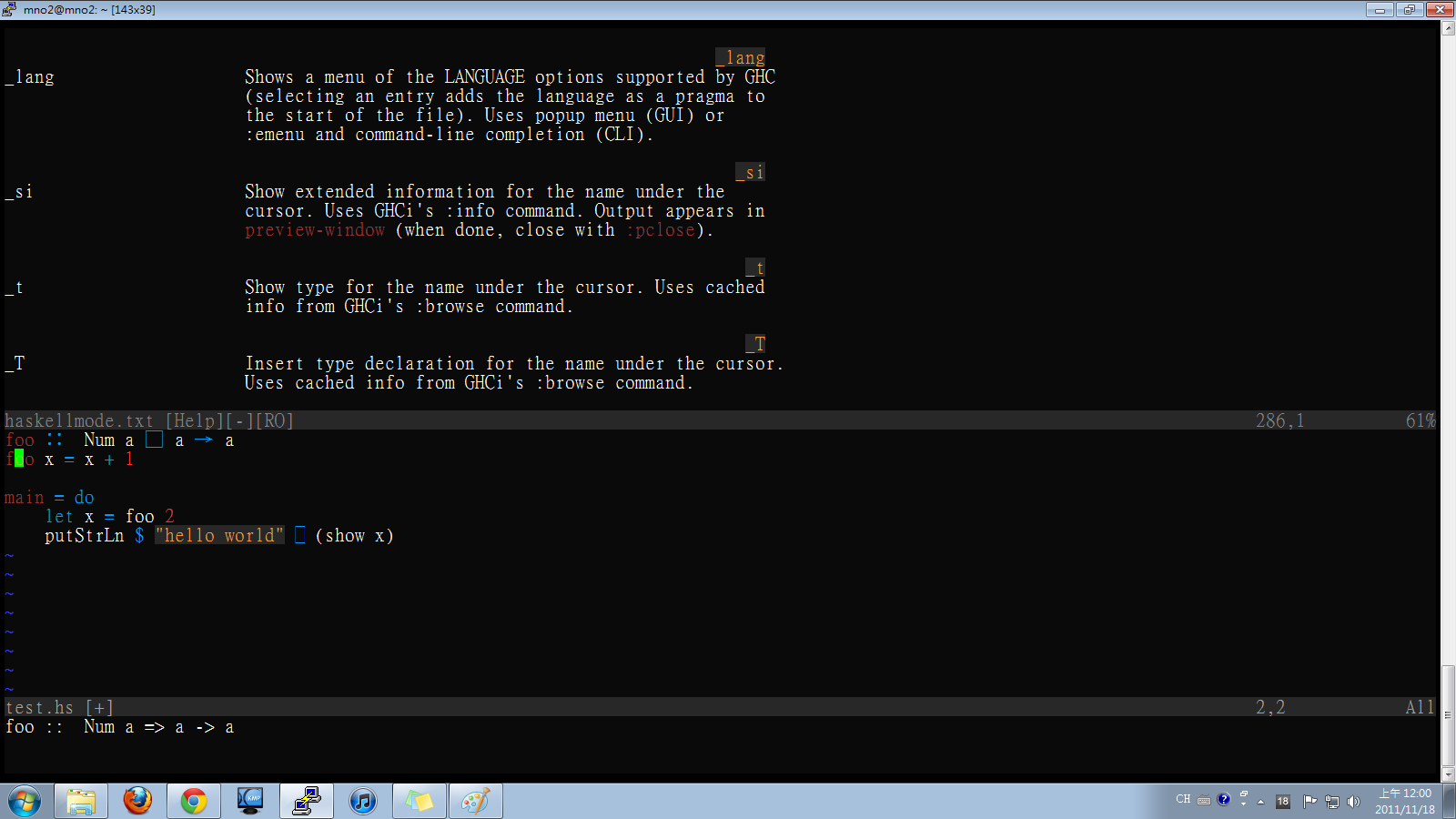
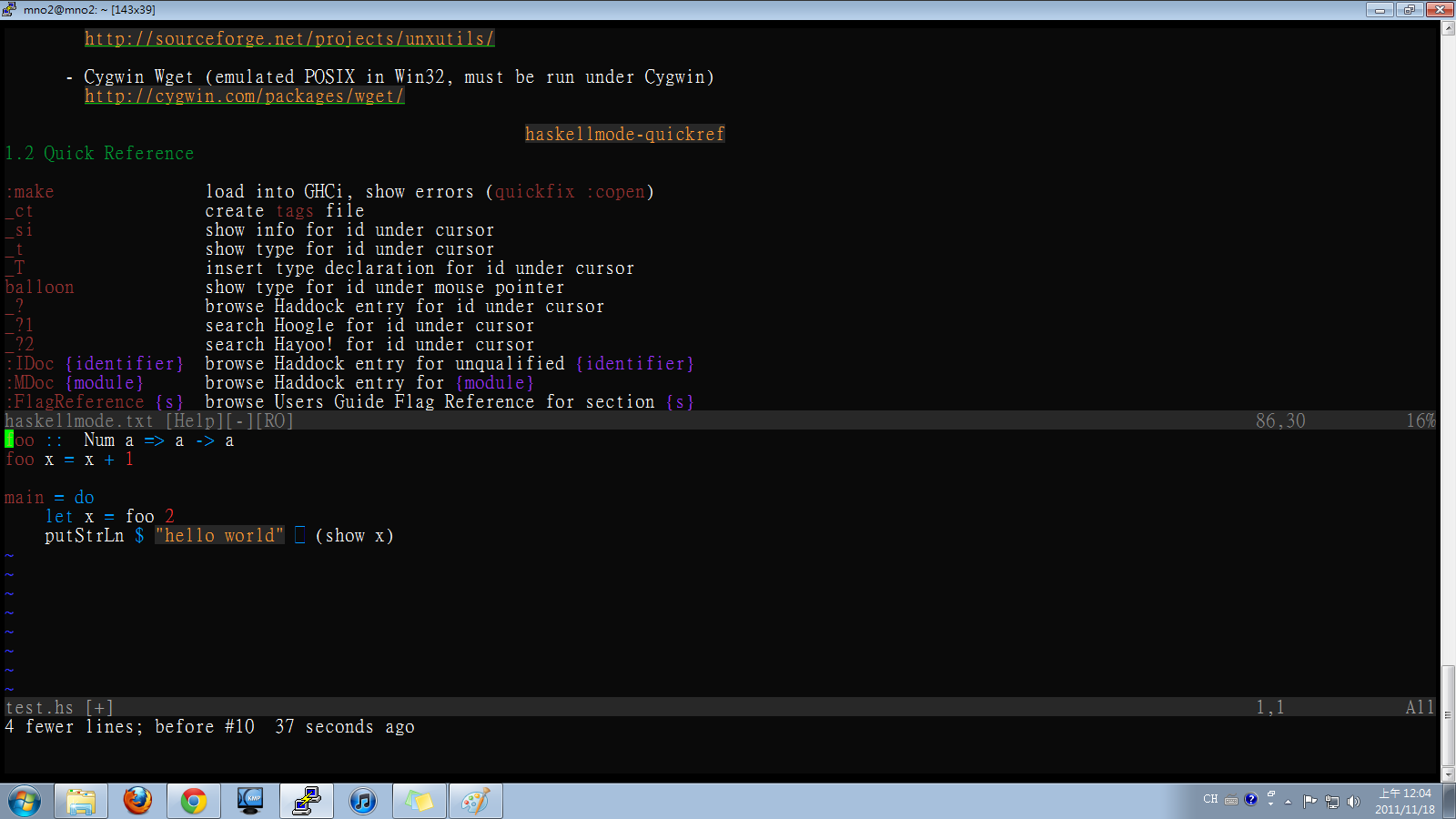
Without a doubt, Haskellmode is the most full-fledged vim plugin for haskell programmers. It features handy module importing, tags generation, haddock/hoogle look up, type info insertion. You can almost say it resolves the problem once and for all, other plugins became minor patch in the presence of it. The follows are two screenshots showing the features I love most.
You can type _T in normal mode, vim will insert the inferred type for the function keyword under the cursor. Or just type _t instead, the info will be displayed in the status bar.
Tags generation is a very useful feature. Type _ct in normal mode, tag files will be generated. After that, you can hit Ctrl-] on a function keyword to jump directly to its definition, then jump back with Ctrl-t
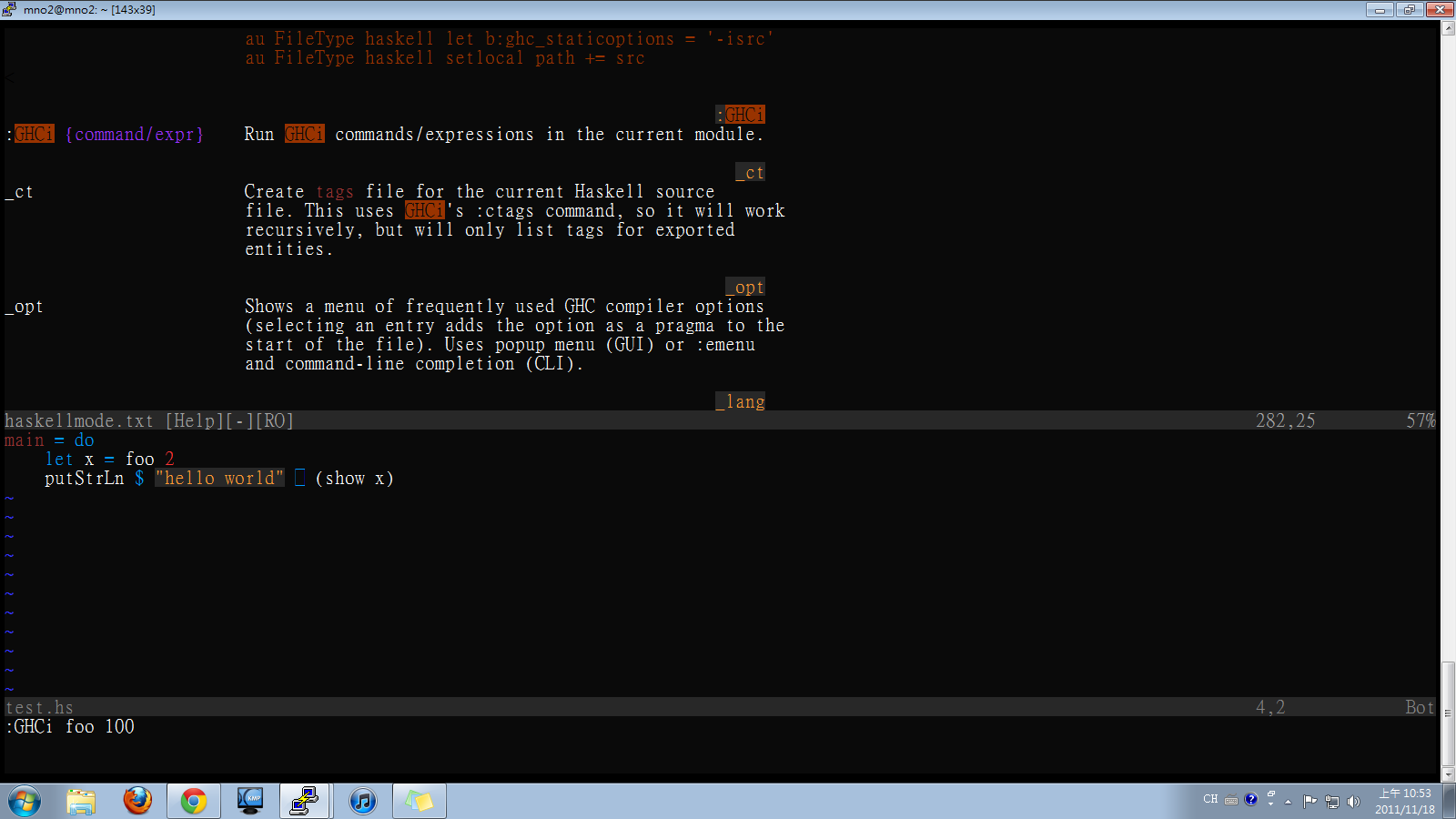
Evaluate a function in the buffer with ghci
For further demo, check the screencast on the official website.
neco-ghc
neco-ghc is a neocomplcache plugin for haskell, it grants you completion funtionality for average keyword. It depends on ghc-mod, so you need to install it. Do cabal install ghc-mod and a sudo ln -s ~/.cabal/ghc-mod /usr/loca/bin/ghc-mod in case it’s missing in the runtime path.
Sadly, there are a few more tweaks before you can use it. neco-ghc is built upon vimshell and vimproc, the continusing developing makes the latest versions incompatible to each other. I successfully reproduce some of the functionalities the author claims with the following settings.
- use an older version neco-ghc
- use the commit ec0e7f3c52d for vimshell (git checkout ec0e7f3c52d)
- use the commit eea8993c555 for vimproc (git checkout eea8993c555)
Here is a few screenshots.
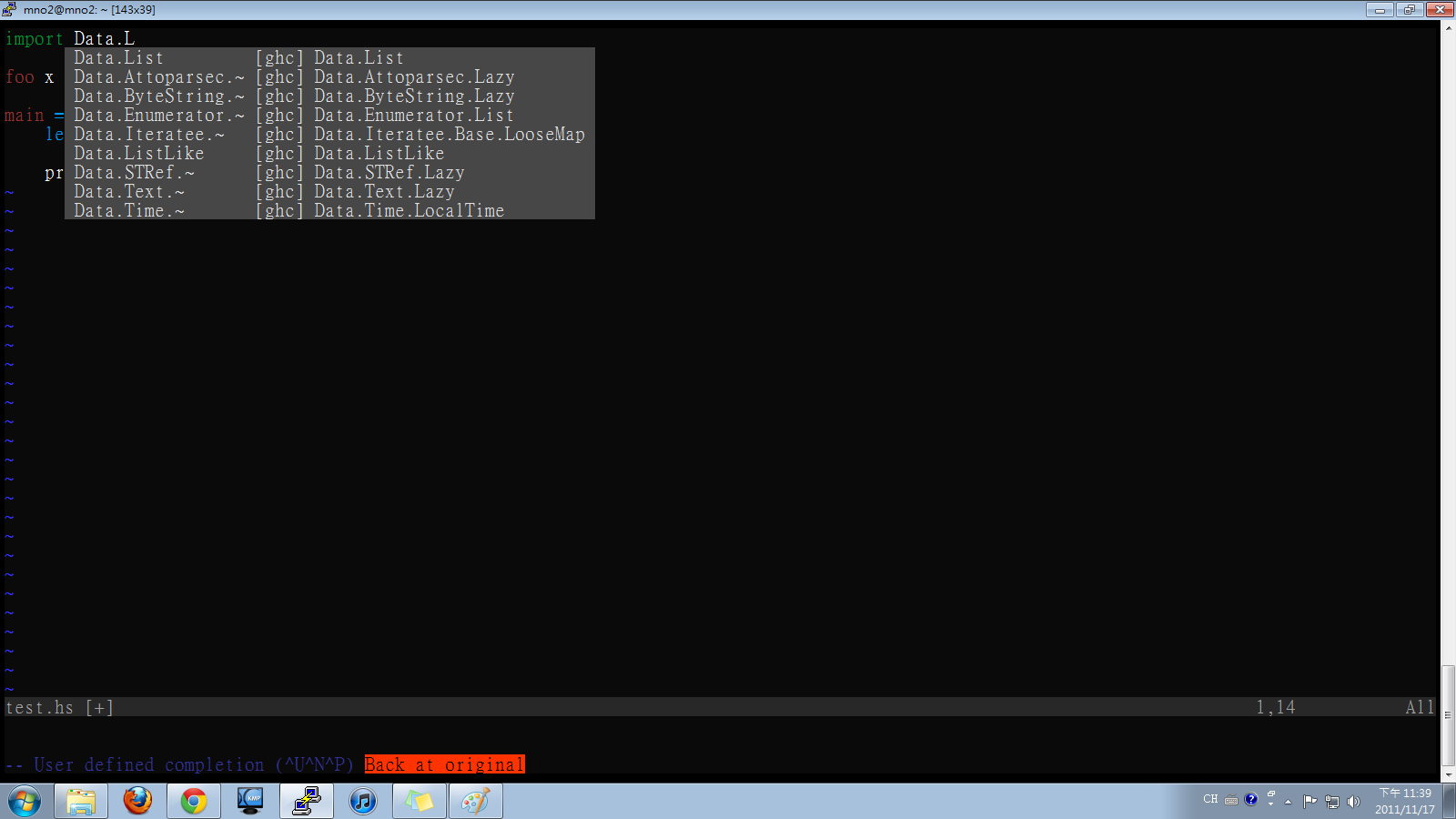
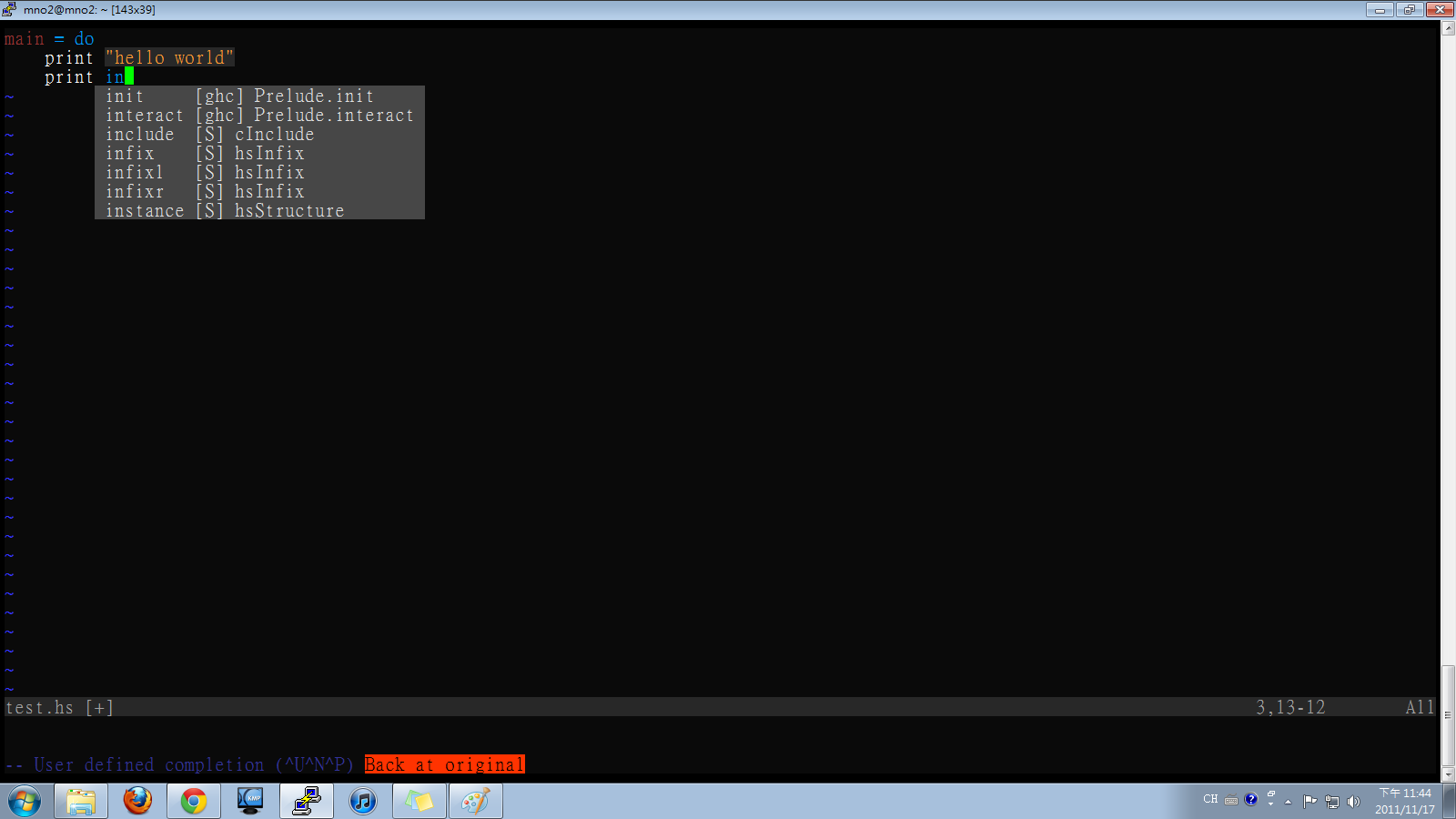
The LANGUAGE flags and OPTION_GHC completion are missing, possibly because I use an older version.
vim-haskellFold
vim-haskellFold improves upon the default fold provided by vim, and automatically folds functions when you open a haskell source code. It complements haskellmode, which lacks folding as far as I know.
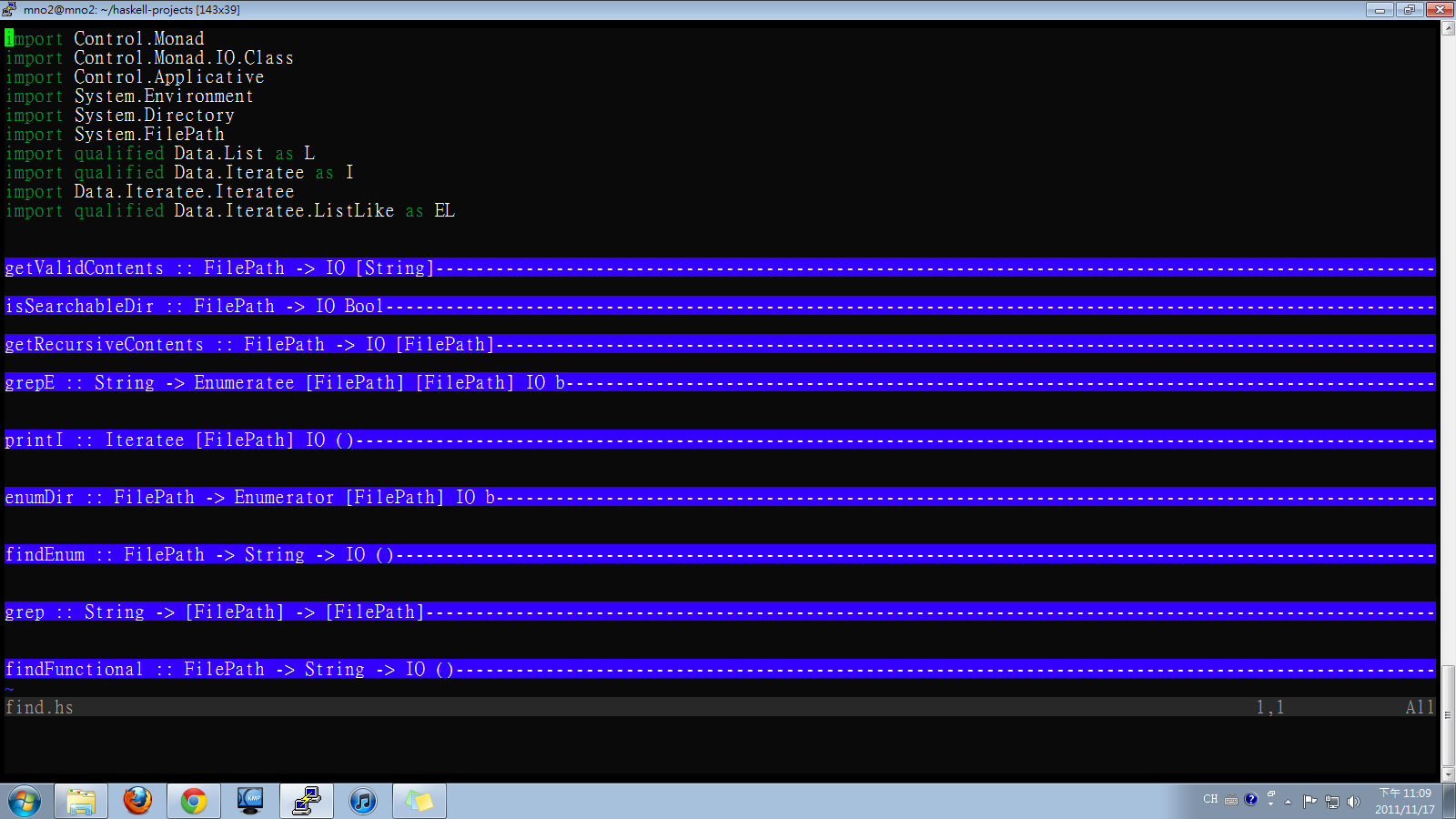
vim-haskellConceal
This plugin takes advantage of newly provided conceal feature in Vim 7.3. To use this feature, you must install version 7.3. Basiscally, this plugin defines the substituting characters for specific patterns used in haskell. For example, it replaces to λ when the code displayed on the screen. It comes back to ascii when you edit and save it.
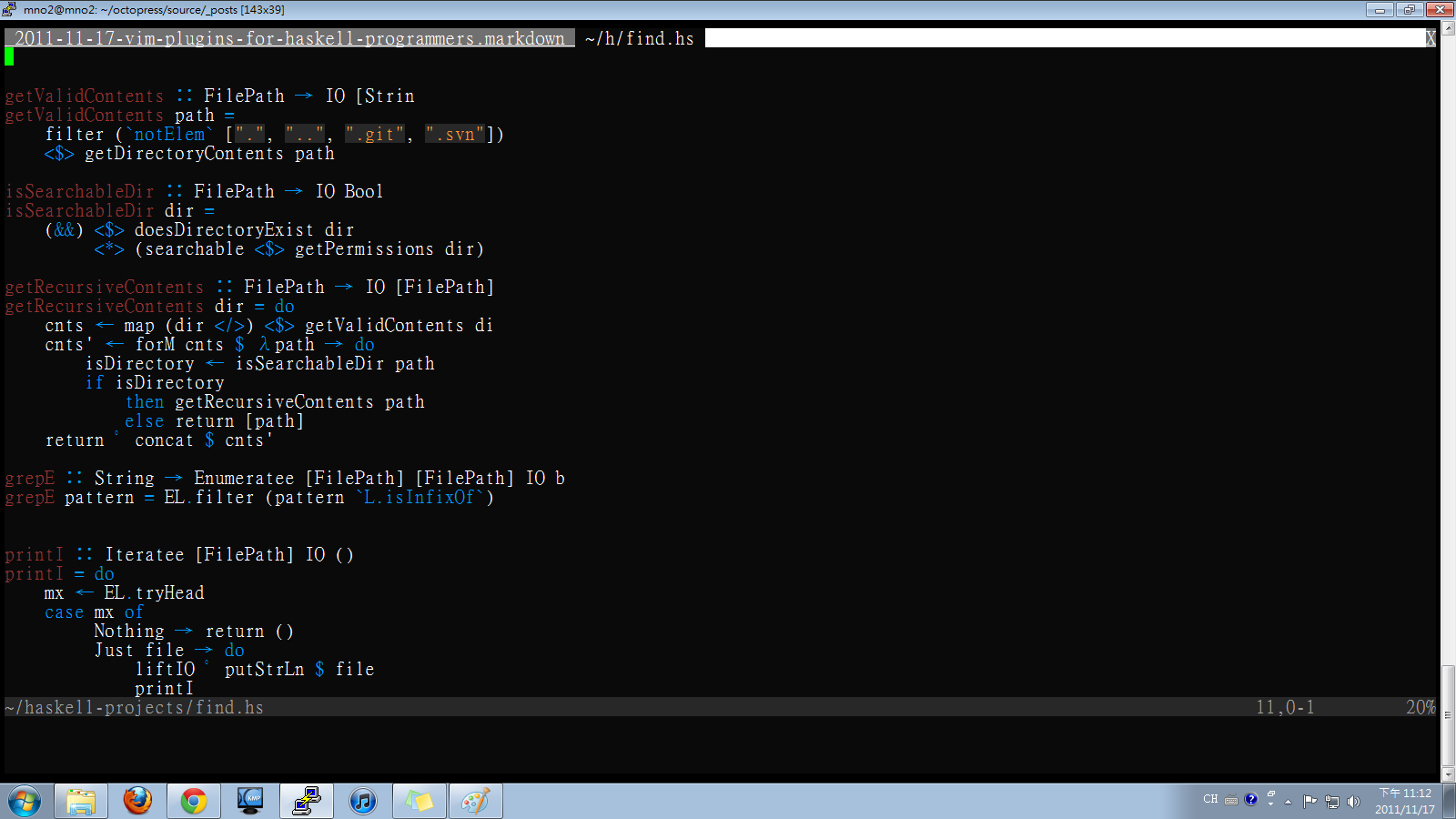
But still, I run into small issue. The trailing letters of a line just become hidden when I move the cursor off the line containing matching patterns. It seems that it is vim’s problem
vim-hoogle
Although haskellmode provide hoogle search, personally I don’t like to view it in a browser since I write code through remote terminal. w3m just mess the buffer for reasons I don’t know. vim-hoogle is a lite version, it opens a split window and show just the type info.
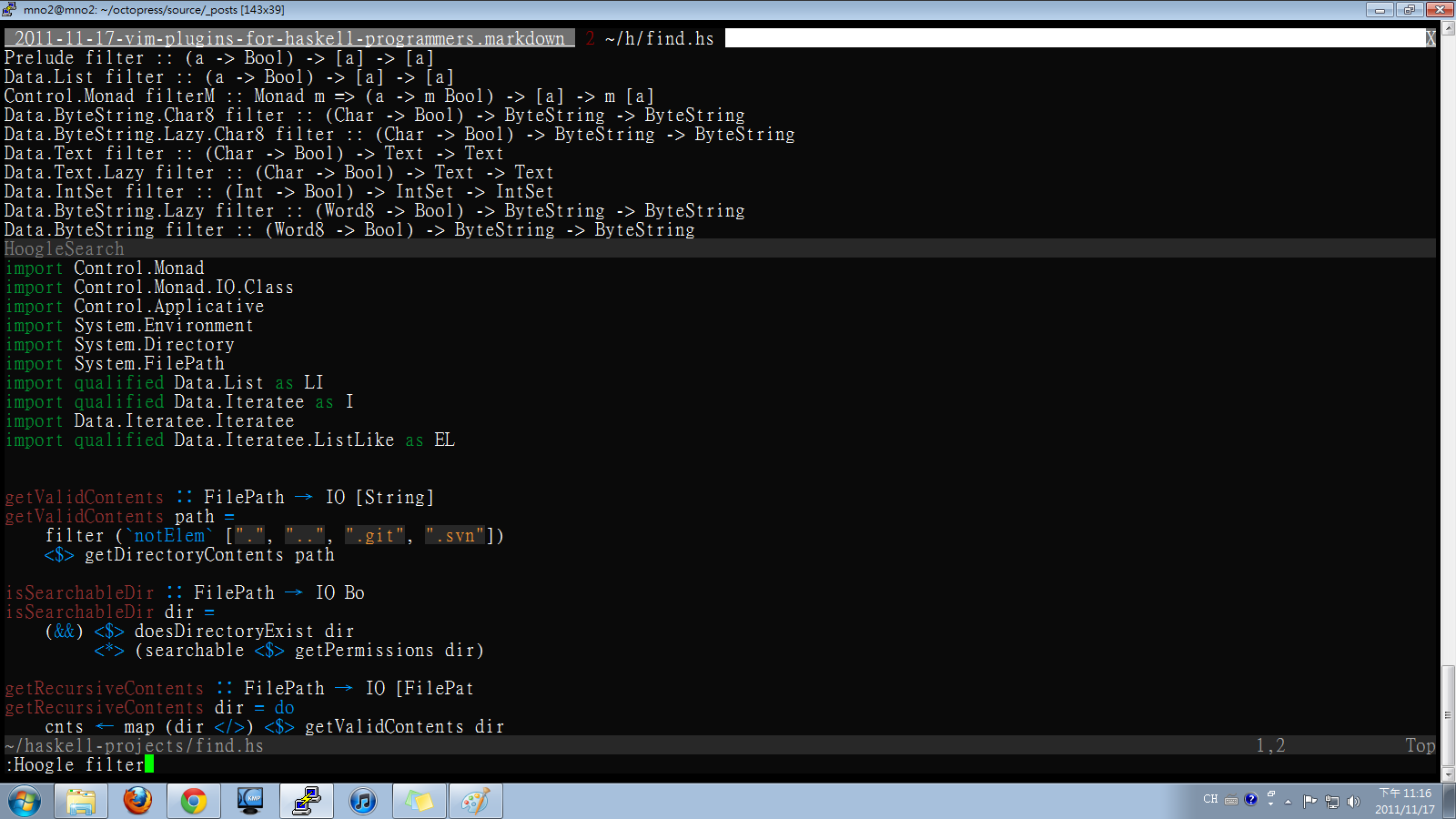
haskell.vim and lhaskell.vim
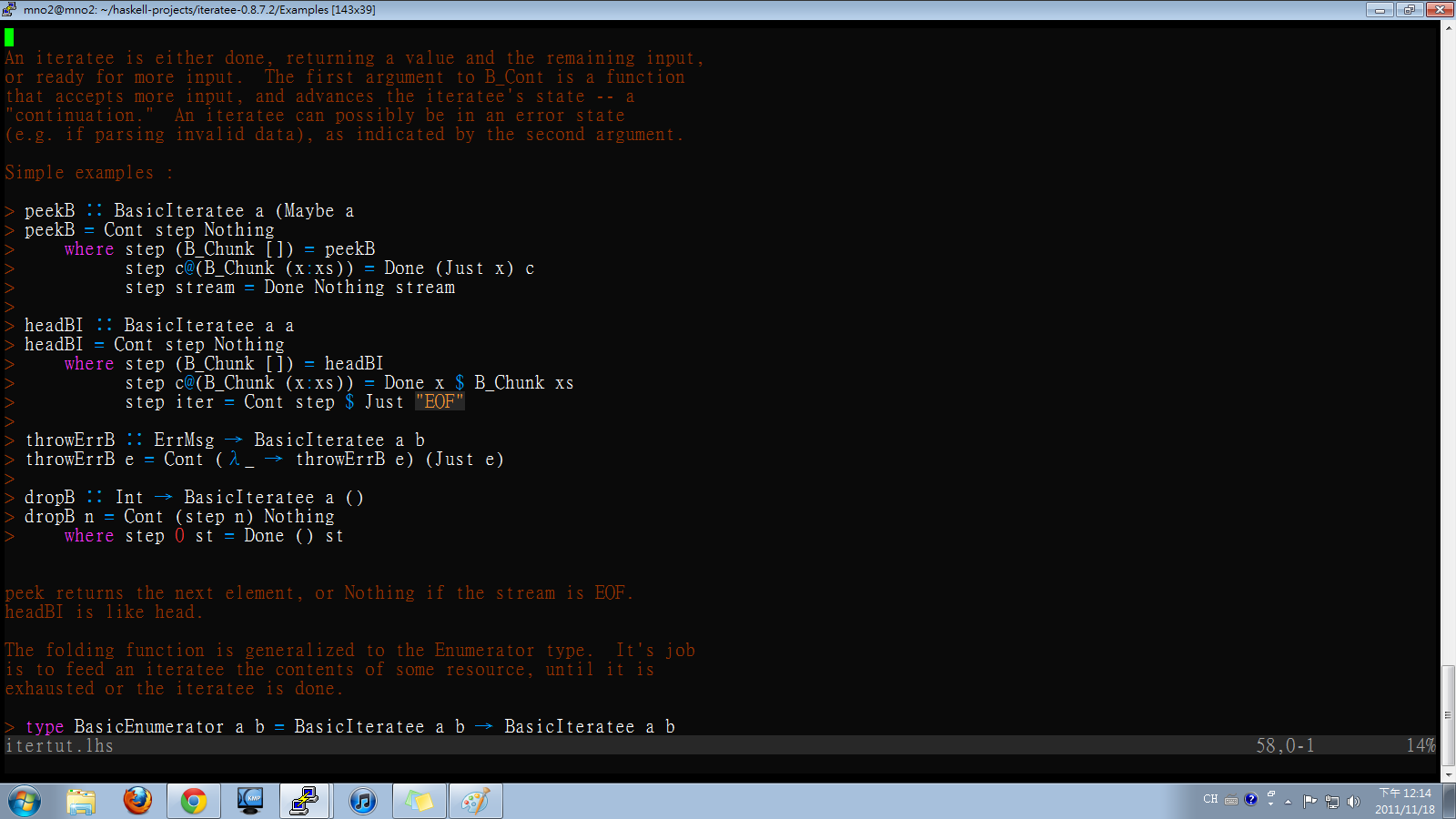
They are just syntax files for .hs and .lhs respectively. Here is a screenshot for .lhs
repl
It is a successor of SHIM. It looks like it is just more than :GHCi of hakellmode. Sadly, I can’t get it installed correctly. It keeps tell me a pipe open error.`
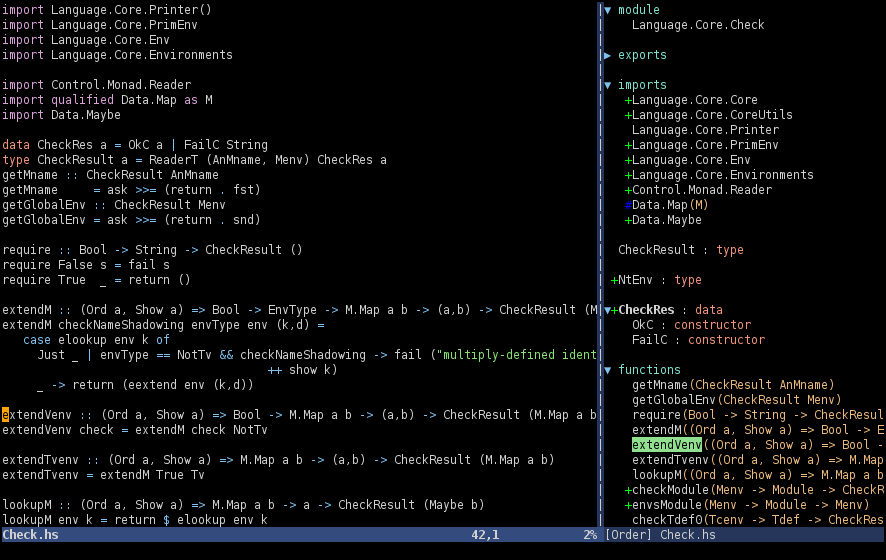
A power-up for the rapidly growing tagbar plugin for haskell. I didn’t try it, since it is pathogen incompatible. It does look good.
uncode-haskell
Automatically translates the ascii combination to the corresponding unicode, like -> to → Unlike haskellConceal, it replaces the ascii to unicode character when editing, and translates back to ascii when saving. an -> becomes → right after you type it. In haskellConceal, the translation occurs after you move off the line, and translates it back when you move back to the line. unicode-haskell doesn’t do that. I prefer conceal feature personally although it is buggy.
Not pretty useful
ghci-vim
It is just a subset of haskellmode GHCi, unable to detect the function currently in the buffer. It lets you execute ghci without leaving vim but not beyond that.
Here are a few I found them useful but not directly related to haskell editing.
delimitMate
Save you from typing right parenthesis, right single/double quote.
textobj-indent
It depends on textobj-user. It lets you quickly select the lines of the same indentation.
vim-surround
Quickly replaces surrounding parenthesis to other surrounding characters. For instances, [1,2,3] to (1,2,3) with the command of cs[(
Another tips: to delete the contents between parenthesis, type ci[, then [1,2,3] would become []
Lots of people use them I make a list of popular plugins just in case someone need it. There are already lots of article elaborating on them.
- vim-pathogen
- vim-matchit
- nerdcommenter
- nerdtree
- supertab
- xptemplate]
Additonal
If you would like to use unicode in the source code, refer to the following contents on haskell.org
- Unicode-symbols
- Unicode syntax